Sales Productivity
Building an SDR Tech Stack in 2026: Essential Tools Guide
Build the perfect SDR tech stack with 7 essential tool categories. CRM, sales engagement, AI personalization, data tools—complete guide with pricing and recommendations.
11 min read
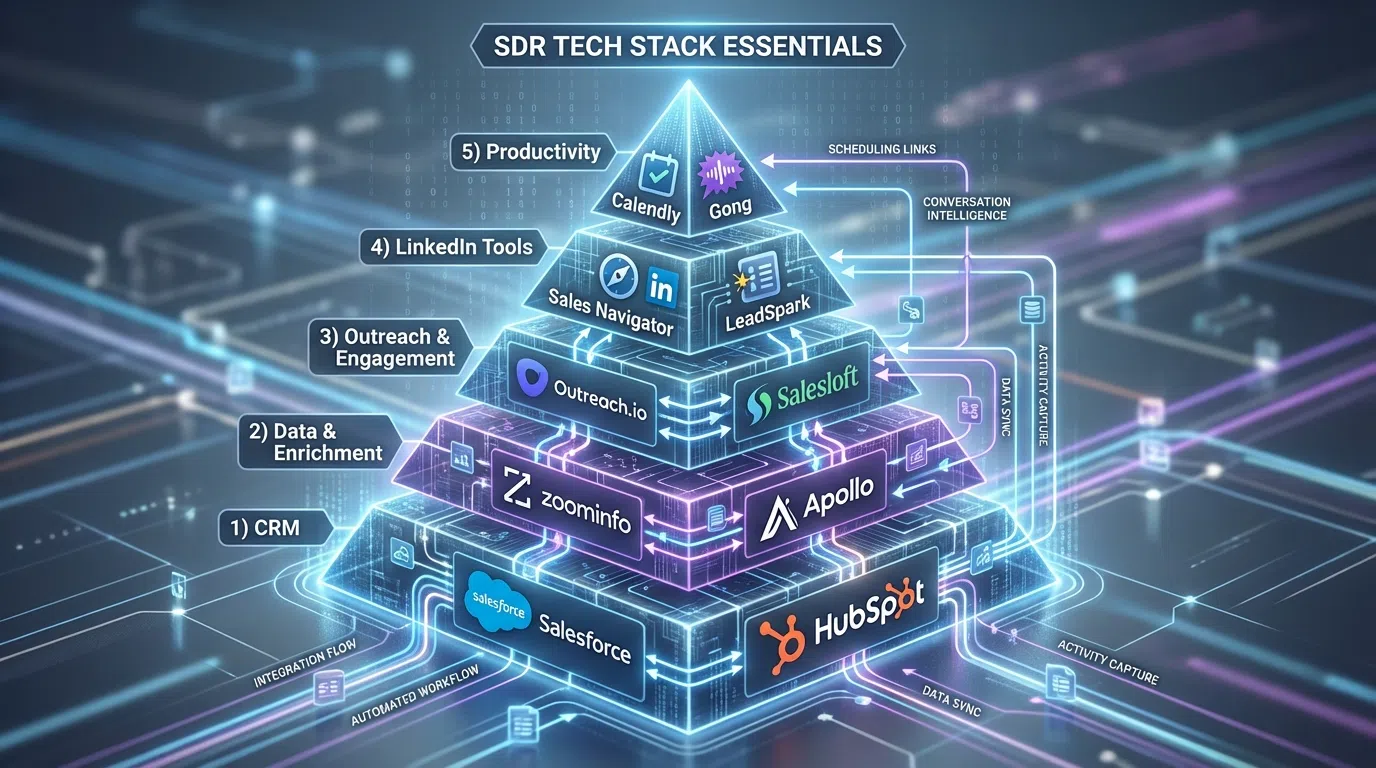
The average sales tech stack includes a base CRM plus 4.5 additional tools, but top-performing SDR teams often use 7-12 integrated platforms to maximize productivity. With organizations using well-integrated enablement tech stacks being 42% more likely to boost sales productivity, choosing the right tools isn't optional—it's a competitive necessity.
But here's the challenge: the sales technology landscape includes thousands of vendors, making it overwhelming to build an effective stack. Do you need Sales Navigator or just LinkedIn Premium? Should you invest in ZoomInfo or Apollo? Is Outreach worth $150/user vs Reply.io at $60/user?
This guide breaks down the 7 essential categories of SDR tools, recommends specific platforms for different team sizes and budgets, and shows you how to integrate everything into a cohesive system that actually drives results.
Table of Contents
- The 7 Essential SDR Tool Categories
- Category 1: Customer Relationship Management (CRM)
- Category 2: Sales Engagement Platforms
- Category 3: Data & Intelligence Tools
- Category 4: AI Personalization Tools
- Category 5: Communication & Telephony
- Category 6: Conversational Intelligence
- Category 7: Social Selling Tools
- SDR Tech Stack by Company Size
- Integration Strategy and Tool Selection
- ROI Calculation and Budget Planning
- Frequently Asked Questions
The 7 Essential SDR Tool Categories
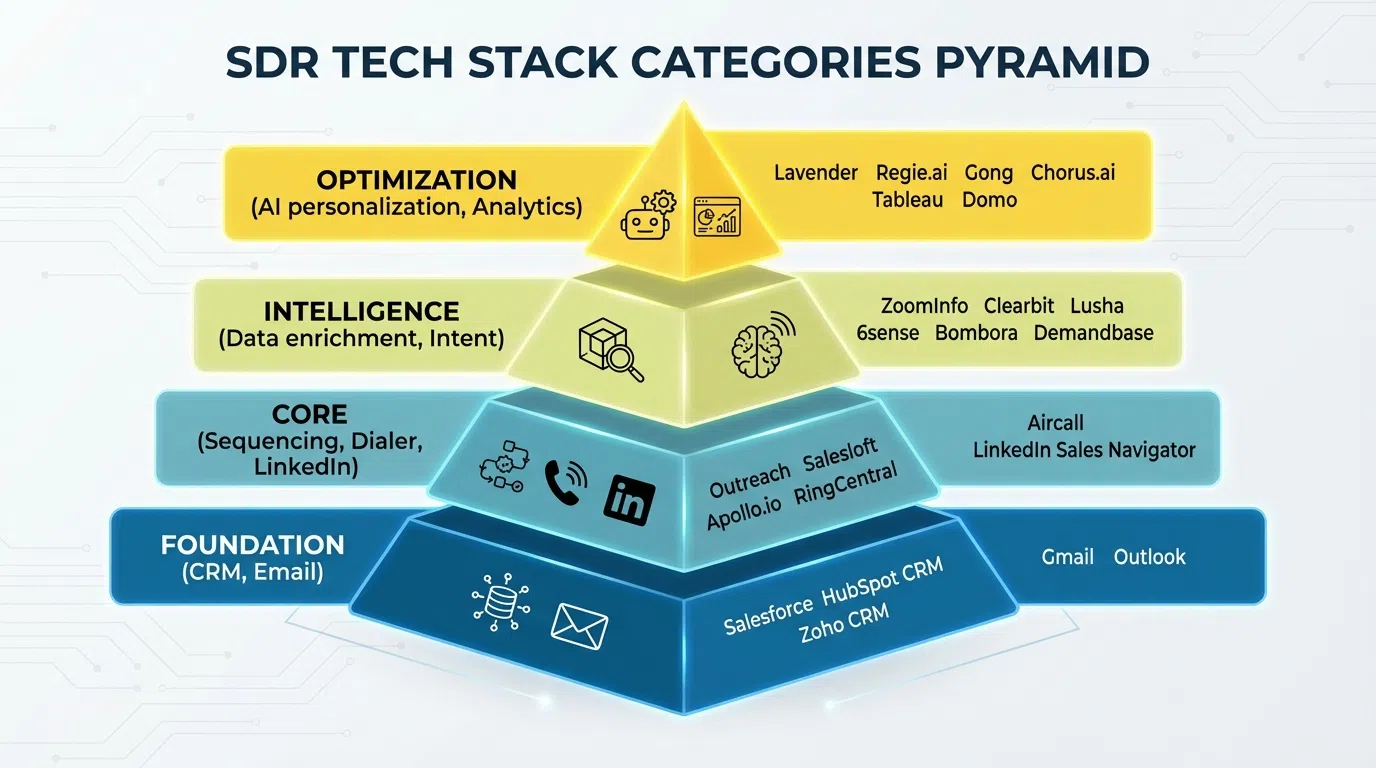
Modern SDR teams need tools across seven core categories to execute efficiently:
1. CRM (Customer Relationship Management): Central database for contacts, accounts, and pipeline
2. Sales Engagement: Multi-channel sequence automation and cadence management
3. Data & Intelligence: Contact databases, enrichment, and intent data
4. AI Personalization: Automated research and message generation at scale
5. Communication: Dialers, email, and meeting tools
6. Conversational Intelligence: Call recording, analysis, and coaching
7. Social Selling: LinkedIn tools for prospecting and engagement
LinkedIn is at the epicenter of modern tech sales, making social selling tools non-negotiable for B2B SDRs. The question isn't whether to invest in each category, but which specific tools to choose based on your budget, team size, and sales motion.
Category 1: Customer Relationship Management (CRM)
Your CRM is the foundation of your tech stack—the single source of truth for all prospect and customer data.
What a CRM Does
At its core, a robust CRM system provides full pipeline visibility, including contact details, opportunity statuses, sales stages, next steps, and expected closing dates. Modern CRMs go beyond basic data storage to offer:
- Contact and account management
- Deal pipeline tracking
- Activity logging (emails, calls, meetings)
- Task and reminder automation
- Reporting and analytics dashboards
- Integration hub for other tools
- Workflow automation
- Mobile access for on-the-go reps
Top CRM Platforms for SDRs
HubSpot CRM
- Best for: Startups to mid-market teams
- Pricing: Free tier (robust), Pro at $800/month (5 users), Enterprise at $3,600/month
- Pros: User-friendly interface, excellent free tier, native marketing automation, strong LinkedIn integration
- Cons: Advanced features require paid tiers, can get expensive at scale
- Integration: Seamless with Sales Navigator, LeadSpark AI, email tools
Salesforce
- Best for: Enterprise teams (20+ SDRs)
- Pricing: $1,200-2,000+ per user annually
- Pros: Most robust integration ecosystem, infinitely customizable, industry standard
- Cons: Expensive, complex setup, steep learning curve, requires admin support
- Integration: Connects to everything, but often requires middleware (Zapier, native connectors)
Pipedrive
- Best for: Small to mid-sized teams (3-15 SDRs)
- Pricing: $14-99 per user/month
- Cons: Limited enterprise features, fewer integrations than Salesforce/HubSpot
- Integration: API-based connections to most major tools
Zoho CRM
- Best for: Budget-conscious teams
- Pricing: Free tier, paid plans $14-52/user/month
- Pros: Affordable, comprehensive features, customizable
- Cons: UI less intuitive than HubSpot, smaller integration ecosystem
- Integration: Decent connector library, may require Zapier for niche tools
Our Recommendation
Startups (1-3 SDRs): Start with HubSpot Free CRM—zero cost, excellent features, room to grow.
Growing teams (3-15 SDRs): Upgrade to HubSpot Pro or try Pipedrive for a visual pipeline focus.
Enterprise (15+ SDRs): Salesforce is the standard, but only if you have dedicated admin resources. Otherwise, HubSpot Enterprise offers 80% of functionality with 50% less complexity.
Category 2: Sales Engagement Platforms
Sales engagement platforms streamline processes, optimize workflows with automation, and are essential for creating multi-touch campaigns across email, phone, and LinkedIn.
What Sales Engagement Platforms Do
- Multi-channel sequences: Orchestrate email + LinkedIn + phone touches
- Email automation: Send personalized emails at scale with tracking
- Task management: Automated reminders for calls, follow-ups, manual touches
- A/B testing: Test subject lines, messaging, send times
- Analytics: Track what's working (open rates, reply rates, bookings)
- Dialer integration: Click-to-call with local presence
- CRM sync: Bi-directional data flow with your CRM
Top Sales Engagement Platforms
Outreach
- Best for: Enterprise teams with complex sales motions
- Pricing: $100-150 per user/month
- Pros: Most comprehensive platform, excellent analytics, strong workflows, conversation intelligence
- Cons: Expensive, overkill for simple outreach, requires training
- Integration: Deep Salesforce integration, connects to most tools
Salesloft
- Best for: Mid-market to enterprise teams
- Pricing: $100-125 per user/month
- Pros: User-friendly, strong cadence builder, excellent reporting, sales coaching features
- Cons: Pricing comparable to Outreach, LinkedIn automation requires add-ons
- Integration: Salesforce-first, HubSpot integration available
Apollo.io
- Best for: Teams needing data + engagement in one platform
- Pricing: $49-149 per user/month
- Pros: Built-in 275M contact database, affordable, all-in-one solution, email verification
- Cons: Database quality mixed (60-75% accuracy), engagement features less advanced than Outreach
- Integration: Works with major CRMs, native dialer and email
Reply.io
- Best for: Budget-conscious teams focused on email
- Pricing: $60-120 per user/month
- Pros: Affordable, easy to use, multichannel capabilities, AI email assistant
- Cons: LinkedIn automation risks (23% report account issues), lighter analytics
- Integration: CRM integrations via API, Zapier connections
Instantly.ai
- Best for: High-volume cold email teams
- Pricing: $37-97/month (unlimited email accounts)
- Pros: Cheapest option, unlimited sending with multiple inboxes, good for cold email
- Cons: Email-only (no LinkedIn/phone), limited personalization, basic features
- Integration: Limited—primarily standalone email tool
Our Recommendation
Startups (1-5 SDRs, budget <$500/mo): Apollo.io combines data + engagement affordably.
Growing teams (5-15 SDRs, budget $1K-3K/mo): Reply.io for multi-channel or Salesloft if budget allows.
Enterprise (15+ SDRs, budget $3K+/mo): Outreach or Salesloft for full-featured engagement platform.
Email-only teams: Instantly.ai for pure cold email volume at low cost.
Category 3: Data & Intelligence Tools
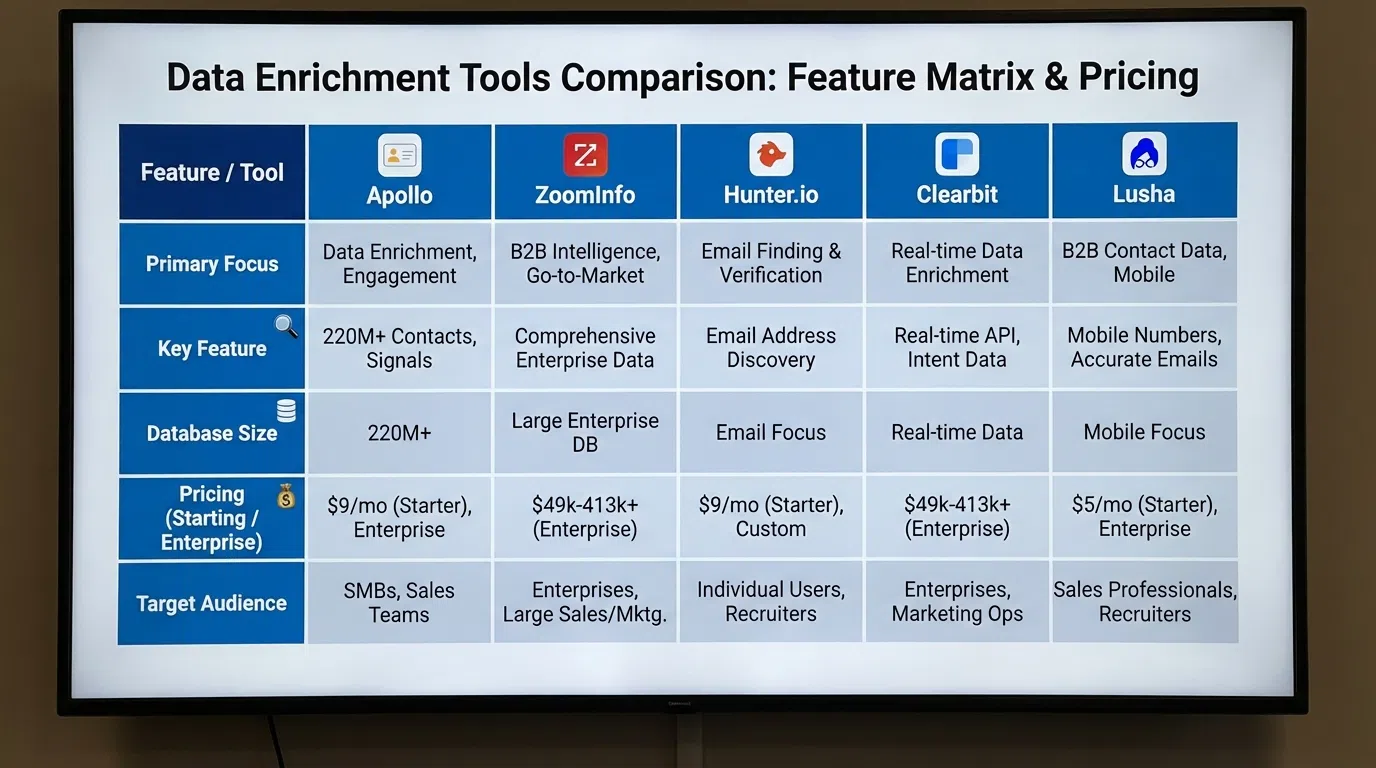
Data vendors allow SDRs to discover new connections, ensure contact information is correct, capture lead information and enhance conversation rates. Without accurate data, even the best engagement platform fails.
What Data Tools Provide
- Contact databases: Phone numbers, email addresses, job titles
- Company information: Firmographics (size, revenue, industry, tech stack)
- Intent data: Buying signals based on content consumption
- Lead enrichment: Auto-fill missing prospect details
- Verification: Email and phone validation to reduce bounces
- Technographic data: Technologies prospects use (for targeting)
Top Data & Intelligence Tools
ZoomInfo
- Best for: Enterprise teams needing highest accuracy
- Pricing: $15,000-50,000+ per year (minimum 3 seats)
- Pros: 95%+ data accuracy, massive database, best-in-class intent data, technographics
- Cons: Very expensive, annual contracts, overkill for small teams
- Database: 100M+ contacts, 14M+ companies
Cognism
- Best for: European/GDPR-focused teams, global prospecting
- Pricing: $12,000-30,000 per year
- Pros: GDPR-compliant, 85% accuracy, phone-verified mobile numbers, global coverage
- Cons: Expensive, primarily for mid-market and up
- Database: 400M+ contacts, strong international data
Apollo.io (Database + Engagement)
- Best for: Teams wanting all-in-one data + engagement
- Pricing: $49-149/month (includes engagement features)
- Pros: Affordable, 275M contacts, built-in sequences, email verification
- Cons: 65-80% accuracy (lower than ZoomInfo), mixed database quality
- Database: 275M contacts, 60M+ companies
HubSpot Breeze Intelligence (formerly Clearbit)
- Best for: HubSpot users needing enrichment
- Pricing: Included with HubSpot Pro+, standalone ~$50-500/month
- Pros: Auto-enriches HubSpot data (industry, employee count, job titles), seamless integration
- Cons: Enrichment-focused (not a database for net-new prospecting)
- Use case: Enrich inbound leads and CRM records
UpLead
- Best for: Small teams needing reliable data affordably
- Pricing: $74-149/month
- Pros: 95% accuracy guarantee (refunds for bounces), affordable, simple interface
- Cons: Smaller database than ZoomInfo/Cognism
- Database: 108M+ contacts
Our Recommendation
Startups (budget <$500/mo): Apollo.io Free tier for 50 monthly credits, or UpLead at $74/month.
Growing teams (budget $1K-3K/mo): Apollo.io Pro ($149/user) for data + engagement combo.
Enterprise (budget $5K+/mo): ZoomInfo for accuracy and intent data, or Cognism for international coverage.
HubSpot users: Add Breeze Intelligence for automatic enrichment of existing records.
Category 4: AI Personalization Tools
AI personalization tools are the newest category but increasingly essential. More businesses are adopting automated sales processes, using AI and machine learning to streamline lead generation, nurturing, and follow-up.
What AI Personalization Tools Do
- Automated research: Scrape LinkedIn profiles, posts, company data in seconds
- Message generation: Create personalized icebreakers at scale using AI (GPT-4)
- Hook extraction: Identify personalization opportunities from prospect activity
- Response optimization: A/B test and improve messaging over time
- Quality control: Human-in-loop review before sending
- Time savings: Reduce research from 8-14 minutes to 30 seconds per prospect
Top AI Personalization Platforms
- Best for: LinkedIn prospecting and icebreaker generation
- Pricing: $49-297/month (team and agency plans)
- Pros: Analyzes actual LinkedIn posts for hooks, generates icebreakers under 25 words, 70-90% response rates, CSV workflow, zero automation (100% safe)
- Cons: LinkedIn-only (not email), requires human review for best results
- Use case: SDRs and agencies doing high-volume LinkedIn prospecting
Lavender
- Best for: Email personalization and coaching
- Pricing: $29-49/month per user
- Pros: Real-time email scoring, personalization suggestions, mobile preview, integrates with Gmail/Outlook
- Cons: Email-focused (not LinkedIn), doesn't generate full messages
- Use case: Coaching SDRs to write better emails
Clay
- Best for: Sales ops teams building custom workflows
- Pricing: $134-800+/month
- Pros: 50+ data sources, waterfall enrichment, AI research agent (Claygent), infinitely customizable
- Cons: Steep learning curve, requires technical expertise, expensive
- Use case: Advanced teams building complex personalization workflows
folk CRM (CRM + AI)
- Best for: Teams wanting CRM + AI personalization combined
- Pricing: $24/user/month
- Pros: Native CRM with AI, one-click contact capture, auto-enrichment, affordable
- Cons: Less mature than standalone CRMs, smaller feature set
- Use case: Small teams wanting simplicity over best-of-breed
Jason AI (Reply.io)
- Best for: Reply.io users
- Pricing: $60/month (included with Reply.io plans)
- Pros: Integrated with Reply sequences, generates email variations, affordable
- Cons: Generic compared to LeadSpark (doesn't analyze posts), email-only
- Use case: Teams already using Reply.io for sequences
Our Recommendation
LinkedIn prospecting: LeadSpark AI ($49-97/month) for post-based hyper-personalization achieving 70-90% response rates.
Email coaching: Lavender ($29/month) to improve SDR email quality with real-time feedback.
Advanced workflows: Clay ($134+/month) if you have sales ops resources and need complex data enrichment.
All-in-one simplicity: folk CRM ($24/user) for small teams wanting CRM + basic AI.
Category 5: Communication & Telephony
Even in a digital-first world, phone remains critical. The right dialer can 3-5x your daily call volume.
What Communication Tools Provide
- Auto-dialers: Click-to-dial, local presence, call logging
- Call recording: Automatic recording for review and compliance
- Voicemail drop: Pre-recorded voicemails with one click
- SMS capabilities: Text prospects from business number
- Call analytics: Track connection rates, talk time, outcomes
- CRM integration: Automatic call logging and contact updates
- Meeting scheduling: Calendar integration (Calendly, HubSpot)
- Video messaging: Personalized video for outreach (Loom, Vidyard)
Top Communication Platforms
Aircall
- Best for: Teams wanting modern cloud-based calling
- Pricing: $30-50/user/month
- Pros: Easy setup, excellent UI, strong analytics, CRM integrations, mobile app
- Cons: More expensive than traditional providers
- Features: Power dialer, call recording, analytics, SMS, integrations
8x8
- Best for: Enterprise teams needing unified communications
- Pricing: $24-95/user/month
- Pros: Video conferencing + phone + chat in one platform, global coverage
- Cons: Complex for small teams, enterprise-focused
- Features: Full UCaaS platform including calling, video, meetings
3CX
- Best for: Cost-conscious teams
- Pricing: Free tier (8 users), paid $195-395/year (one-time)
- Pros: Very affordable, self-hosted or cloud options, feature-rich
- Cons: More technical setup required
- Features: PBX system with calling, video, integrations
Twilio
- Best for: Teams building custom calling solutions
- Pricing: Usage-based ($0.0085-0.014/minute)
- Pros: API-first (build exactly what you need), pay only for usage
- Cons: Requires development resources
- Use case: Custom dialer integrated into sales tools
Ring Central
- Best for: Mid-market teams needing reliability
- Pricing: $30-50/user/month
- Pros: Mature platform, reliable, good support, integrations
- Cons: UI feels dated vs Aircall
- Features: Cloud PBX, calling, video, team messaging
Loom (Video Messaging)
- Best for: Personalized video outreach
- Pricing: $12.50/user/month
- Pros: Easy screen + camera recording, shareable links, video analytics
- Use case: Send personalized video demos or follow-ups (3-5x response boost)
Our Recommendation
Startups (1-5 SDRs): 3CX Free for basic calling, Loom ($12.50/user) for video.
Growing teams (5-15 SDRs): Aircall ($30/user) for modern dialer with great UX.
Enterprise (15+ SDRs): 8x8 or Ring Central for unified communications.
Custom needs: Twilio API if you have dev resources and want custom integrations.
Category 6: Conversational Intelligence
Conversational intelligence tools use AI to record and analyze sales calls, allowing better understanding of pitch effectiveness and team performance. This category has exploded in 2026.
What Conversation Intelligence Does
- Automatic call recording: Capture every sales call and meeting
- Transcription: Convert audio to searchable text
- AI analysis: Identify talk time, keywords, objections, questions
- Coaching insights: Flag areas for improvement (too much talking, missed questions)
- Deal intelligence: Track deal risks and momentum
- Competitor mentions: Alert when competitors come up
- Training library: Build library of winning calls for team training
- Onboarding acceleration: New reps learn from top performers' calls
Top Conversational Intelligence Platforms
Gong
- Best for: Enterprise teams (10+ AEs/SDRs)
- Pricing: $1,200-1,600/user/year
- Pros: Best-in-class AI analysis, deal intelligence, revenue intelligence, market leader
- Cons: Expensive, primarily for AEs (less SDR-focused), annual contracts
- Use case: Strategic revenue teams analyzing full sales cycle
Chorus.ai (ZoomInfo)
- Best for: ZoomInfo customers
- Pricing: Custom (bundled with ZoomInfo often)
- Pros: Deep integration with ZoomInfo, good conversation analysis, deal tracking
- Cons: Requires ZoomInfo ecosystem, expensive
- Use case: Enterprise teams already using ZoomInfo
Jiminny
- Best for: Mid-market teams (5-20 reps)
- Pricing: More affordable than Gong (custom pricing)
- Pros: Strong coaching features, good analytics, easier to deploy than Gong
- Cons: Less robust than Gong for enterprise needs
- Use case: SDR managers coaching teams on discovery calls
Allego
- Best for: Teams needing sales content + conversation intelligence
- Pricing: Custom
- Pros: Combines conversation intelligence with sales content management, video coaching
- Cons: Broader platform (not pure conversation intelligence)
- Use case: Organizations wanting single platform for enablement + intelligence
Our Recommendation
Startups (1-5 SDRs): Skip conversation intelligence initially—use native meeting recording (Zoom, Google Meet) and manual review.
Growing teams (5-15 SDRs): Add Jiminny when you have 3+ SDRs to coach.
Enterprise (15+ reps): Gong for full revenue intelligence across SDRs and AEs.
ZoomInfo users: Chorus.ai bundled with ZoomInfo contract.
Category 7: Social Selling Tools
LinkedIn is at the epicenter of modern tech sales, with 80% of B2B leads originating from LinkedIn. Social selling tools are non-negotiable for B2B SDRs.
What Social Selling Tools Provide
- Advanced search: Filter prospects by 30+ criteria (title, company, geography, etc.)
- Lead saving and tracking: Save prospects and get alerts on job changes, posts, news
- InMail credits: Message prospects you're not connected with (50/month with Sales Navigator)
- CRM integration: Sync LinkedIn activity with your CRM
- Profile optimization: Improve your visibility and credibility
- Social listening: Track competitor mentions and buying signals
Top Social Selling Platforms
LinkedIn Sales Navigator
- Best for: All B2B SDRs (non-negotiable)
- Pricing: $99-149/month per seat (Professional), $447/month for 3 seats (Team)
- Pros: 30+ search filters, unlimited searches, InMail credits (50/month), lead alerts, CRM sync
- Cons: Expensive at scale, search interface can be clunky
- ROI: If you book even 1-2 extra meetings/month, it pays for itself
LinkedIn Premium
- Best for: Very small teams or solopreneurs on tight budget
- Pricing: $39.99-59.99/month
- Pros: More affordable than Sales Navigator, InMail credits (5/month), profile insights
- Cons: Limited search (15 filters vs 30+), only 5 InMails, no CRM integration
- Use case: Solo founders or consultants doing light LinkedIn prospecting
PhantomBuster
- Best for: Scraping LinkedIn data for outreach lists
- Pricing: $59-399/month
- Pros: Export leads from searches, scrape profiles, automate data collection
- Cons: Gray area with LinkedIn ToS, risk of account restrictions
- Use case: Building large prospect lists for multi-channel outreach (use cautiously)
Our Recommendation
All B2B SDRs: LinkedIn Sales Navigator ($99-149/month) is required. The ROI is immediate.
Teams of 3+: Sales Navigator Team ($149/user) for advanced features and admin controls.
Data extraction needs: PhantomBuster ($59/month) to export searches, but use cautiously and combine with LeadSpark AI for safe personalization (no automation).
Budget constraints: Start with LinkedIn Premium ($39.99) if you can't afford Sales Navigator yet, but upgrade as soon as possible.
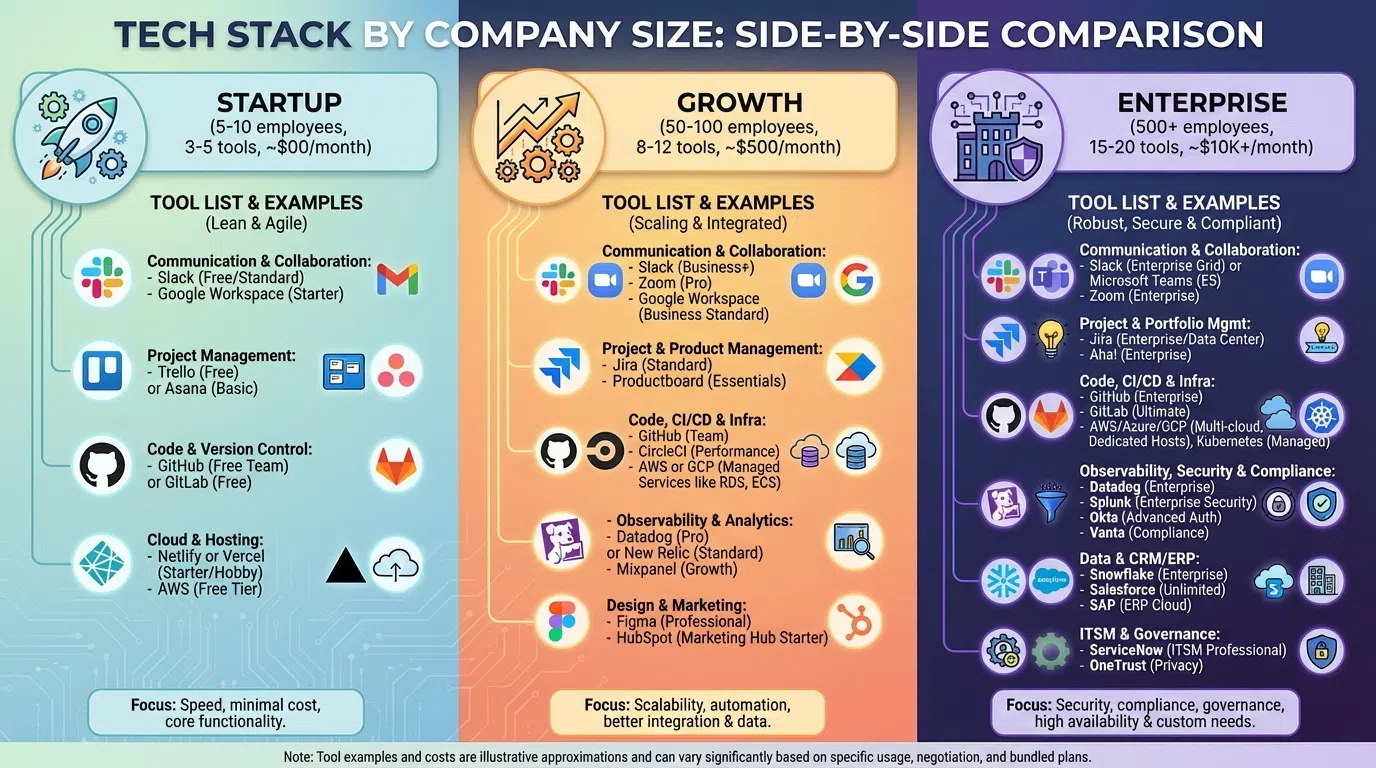
SDR Tech Stack by Company Size
Startup Stack (1-3 SDRs, Budget: $300-800/month)
Minimum Viable Stack:
- CRM: HubSpot Free (or paid $800/5 users if needed)
- Data: Apollo.io Free (50 credits/month) or UpLead Basic ($74)
- AI Personalization: LeadSpark AI Starter ($49)
- Communication: 3CX Free + Loom Basic ($12.50)
- Social Selling: Sales Navigator ($99-149)
Total: $300-800/month
Prospects contacted: 200-400/month per SDR
Meetings booked: 5-10/month per SDR
Best for: Bootstrapped startups, first sales hire
Growth-Stage Stack (5-15 SDRs, Budget: $2K-5K/month)
Optimized Stack:
- CRM: HubSpot Pro ($800/5 users) or Pipedrive ($50-100/user)
- Sales Engagement: Reply.io ($60/user) or Apollo Pro ($149/user)
- Data: Apollo Pro ($149) or ZoomInfo (if budget allows)
- AI Personalization: LeadSpark AI Team ($147 for 3 users)
- Communication: Aircall ($30/user) + Loom ($12.50/user)
- Social Selling: Sales Navigator Team ($149/user)
Total: $2,000-5,000/month (varies by SDR count)
Prospects contacted: 1,000-2,000/month per SDR
Meetings booked: 10-20/month per SDR
Best for: Series A-B companies scaling sales
Enterprise Stack (15+ SDRs, Budget: $10K-30K/month)
Full-Featured Stack:
- CRM: Salesforce or HubSpot Enterprise
- Sales Engagement: Outreach ($100-150/user) or Salesloft ($100-125/user)
- Data: ZoomInfo ($15K-50K/year) + Cognism or Bombora (intent data)
- AI Personalization: LeadSpark AI Agency ($297 for 10 users) + Clay Pro ($349)
- Communication: 8x8 ($30-50/user) or Aircall
- Conversation Intelligence: Gong ($1,200-1,600/user/year) or Jiminny
- Social Selling: Sales Navigator Team ($149/user)
- Marketing: 6sense or Demandbase (ABM platform)
Total: $10,000-30,000/month
Prospects contacted: 5,000-10,000/month (team total)
Meetings booked: 200-500/month (team total)
Best for: Series C+ companies, 10-50+ SDRs
Integration Strategy and Tool Selection
The Integration Imperative
The power of your SDR tech stack comes from integration. Disconnected tools create:
- Data silos: Prospect information scattered across platforms
- Manual work: Copy-pasting between systems
- Errors: Outdated information and duplicates
- Poor visibility: Managers can't see what's working
Organizations with well-integrated enablement tech stacks are 42% more likely to boost sales productivity than those with fragmented tools.
Key Integrations to Prioritize
1. CRM as Hub: Everything should sync with your CRM
- Sales engagement platform → CRM (bi-directional)
- Data tools → CRM (enrichment)
- AI personalization → CRM (activity logging)
- Communication tools → CRM (call logging)
- LinkedIn Sales Navigator → CRM (lead sync)
2. Sales Engagement ↔ CRM ↔ Data
- Data tool enriches CRM records
- CRM triggers sequences in engagement platform
- Engagement platform logs activity back to CRM
3. AI Personalization ↔ LinkedIn ↔ CRM
- Export prospects from LinkedIn
- Run through LeadSpark AI for personalization
- Import personalized messages to CRM
- Send via engagement platform or manually
Integration Methods
Native integrations: Best option when available (Salesforce + Outreach, HubSpot + Sales Navigator)
Zapier/Make: Middleware for connecting tools without native integrations ($20-50/month)
CSV export/import: Manual but workable for smaller volumes
API connections: Custom development for specific needs
Tool Selection Framework
When choosing tools, evaluate on:
1. Functionality (40%)
- Does it solve your specific problem?
- Features match your needs?
- Scalability as you grow?
2. Integration (25%)
- Native integrations with your CRM?
- API availability for custom connections?
- Data quality and sync reliability?
3. Usability (20%)
- Intuitive interface?
- Training time required?
- Mobile accessibility?
4. Cost (15%)
- Transparent pricing?
- ROI justifiable?
- Hidden costs (setup, data limits)?
Example: If evaluating AI personalization tools:
- Functionality: LeadSpark AI (40/40) - LinkedIn post analysis, 70-90% response rates
- Integration: LeadSpark AI (20/25) - CSV workflow, manual CRM import
- Usability: LeadSpark AI (18/20) - Simple upload → analyze → export workflow
- Cost: LeadSpark AI (14/15) - $49-97/month, credit-based ROI
- Total: 92/100 - Strong choice for LinkedIn-focused teams
ROI Calculation and Budget Planning
Calculating SDR Tool Stack ROI
Simple Formula:
ROI = (Revenue from Meetings Booked - Tool Stack Cost) ÷ Tool Stack Cost × 100
Example:
- Monthly tool cost: $2,500 (growth-stage stack for 5 SDRs)
- Meetings booked: 60 total (12/SDR/month)
- Show-up rate: 70% (42 attended meetings)
- SQL rate: 50% (21 SQLs)
- Close rate: 25% (5.25 deals, round to 5)
- Average deal size: $15,000
- Revenue: $75,000
ROI: ($75,000 - $2,500) ÷ $2,500 × 100 = 2,900% ROI
Even at 10% close rate (2 deals), ROI is 1,100%.
Budget Planning by Role
Per SDR Monthly Tool Allocation:
- CRM: $50-150/user (amortized across team)
- Sales Engagement: $50-150/user
- Data: $50-300/user (varies widely)
- AI Personalization: $30-100/user
- Communication: $30-50/user
- Social Selling: $100-150/user
Total per SDR: $310-900/month depending on stack sophistication
Rule of thumb: If your average deal size is $10K+, investing $500-800/month per SDR in tools is justified.
Justifying Tool Investments to Leadership
Productivity argument:
- Manual research: 8-14 min/prospect = 60-90 prospects/week
- AI-powered research: 30-90 sec/prospect = 200-400 prospects/week
- 3-5x productivity increase justifies $100-200/month easily
Response rate argument:
- Generic outreach: 1-5% response rate
- AI personalization: 70-90% response rate with LeadSpark AI
- 14-90x better engagement translates to 3-10x more meetings
Cost per meeting argument:
- Manual: $300-500 per meeting (time + tools)
- AI-assisted: $100-200 per meeting
- 50-60% cost reduction while increasing volume
Present tool investments as revenue enablement, not expenses.
Frequently Asked Questions
What tools do I absolutely need as a new SDR?
Start with the minimum viable stack:
- CRM: HubSpot Free
- LinkedIn: Sales Navigator ($99-149/month)
- AI Personalization: LeadSpark AI ($49/month)
- Email: Gmail/Outlook (free)
- Calendar: Calendly Free
Total: $150-200/month gets you operational. Add more tools as you prove ROI.
Should I use one all-in-one platform or best-of-breed tools?
All-in-one (Apollo, folk CRM): Better for very small teams (1-3 SDRs), simpler setup, lower cost, fewer integrations needed.
Best-of-breed: Better for growing teams (5+ SDRs), more powerful features in each category, higher cost, requires integration work.
Most teams start all-in-one (Apollo covers data + engagement), then graduate to best-of-breed as they scale (ZoomInfo for data, Outreach for engagement).
How do I integrate LeadSpark AI into my existing stack?
LeadSpark AI uses a CSV workflow:
- Export prospects from LinkedIn Sales Navigator or your CRM
- Upload CSV to LeadSpark AI
- AI analyzes profiles and posts, generates personalized icebreakers
- Export results with personalization
- Import back to your CRM or engagement platform
No complex API integration required—works with any stack.
What's the ROI of investing in AI personalization tools?
Time ROI: 95% time savings (2-3 min manual vs 30 sec AI-assisted per prospect)
Response rate ROI: 10-90x better engagement (70-90% with LeadSpark AI vs 1-5% generic)
Revenue ROI: If LeadSpark AI at $97/month helps you book 3 extra meetings (conservative), and 1 closes at $15K, that's 15,300% monthly ROI.
Most teams see payback within the first week.
Can I build a great SDR stack for under $500/month?
Yes, for solo SDRs or small teams:
- CRM: HubSpot Free ($0)
- Data: Apollo Free (50 credits/month, $0)
- AI Personalization: LeadSpark AI Starter ($49)
- Social Selling: Sales Navigator ($99-149)
- Email: Gmail ($0)
- Calendar: Calendly Free ($0)
- Communication: 3CX Free ($0)
Total: $150-200/month for full stack. Invest more as you grow.
Should I get Gong/conversation intelligence as an SDR?
Not initially. Conversation intelligence is valuable but expensive ($1,200-1,600/user/year).
Priority order:
- CRM (free options exist)
- LinkedIn Sales Navigator (required for B2B)
- AI Personalization (biggest productivity boost)
- Sales Engagement (if doing multi-touch sequences)
- Data Tools (when volume increases)
- Conversation Intelligence (when you have 5+ reps to coach)
Gong is powerful but belongs in the "nice to have" category for SDRs. AEs benefit more.
Build Your High-Performing SDR Tech Stack
The right SDR tech stack isn't about having the most tools—it's about having the right tools that integrate seamlessly and actually drive results. Organizations with well-integrated enablement tech stacks are 42% more likely to boost sales productivity, but only if you choose tools strategically.
Start with the essentials:
- CRM for pipeline management (HubSpot Free)
- LinkedIn Sales Navigator for B2B prospecting ($99-149/month)
- AI Personalization for scaling outreach (LeadSpark AI $49-97/month)
- Communication tools for reaching prospects
Then layer on additional capabilities as your team grows and ROI justifies investment. The teams hitting quota consistently aren't using 20 tools—they're using 5-8 well-integrated platforms that complement each other.
The biggest productivity unlock in 2026? AI personalization. Manual research (8-14 minutes per prospect) limits you to 30-60 prospects daily. LeadSpark AI compresses that to 30 seconds per prospect through automated LinkedIn post analysis, enabling 200-500 prospects daily while achieving 70-90% response rates.
Start building your SDR tech stack with LeadSpark AI →
Get 15 free credits to test AI-powered LinkedIn personalization. No credit card required.
Related Posts
- Best AI Sales Tools for SDRs in 2026: Complete Tech Stack
- How AI is Changing Sales Personalization in 2026
- LinkedIn Prospecting Metrics: What SDRs Should Track in 2026
- Manual vs AI Personalization: Which is Better for LinkedIn Prospecting?
Sources:
- Sales Tech Stack: Everything Your SDR Team Needs – Operatix
- The modern sales tech stack: Essential tools for 2026 – Highspot
- SDR Tech Stack 101: Understanding Common Sales Tools – Vendition
- The Complete SaaS Sales Tech Stack: 15 Tools Every SDR Should Master – Aspireship
- 12 SDR Tools to Drive More Sales – Cognism
Ready to Generate Personalized Icebreakers?
Join sales professionals using LeadSpark AI to create hyper-personalized LinkedIn icebreakers in minutes.